16.07 · Input & output / Learn · 5 min
Ask again after a wrong answer
Combine async input, a loop and an update in a small terminal repair.
Activity 7 of 7 in Input & output
JavaScript Basics / 16.07
Ask again after a wrong answer
Not started
Combine async input, a loop and an update in a small terminal repair.
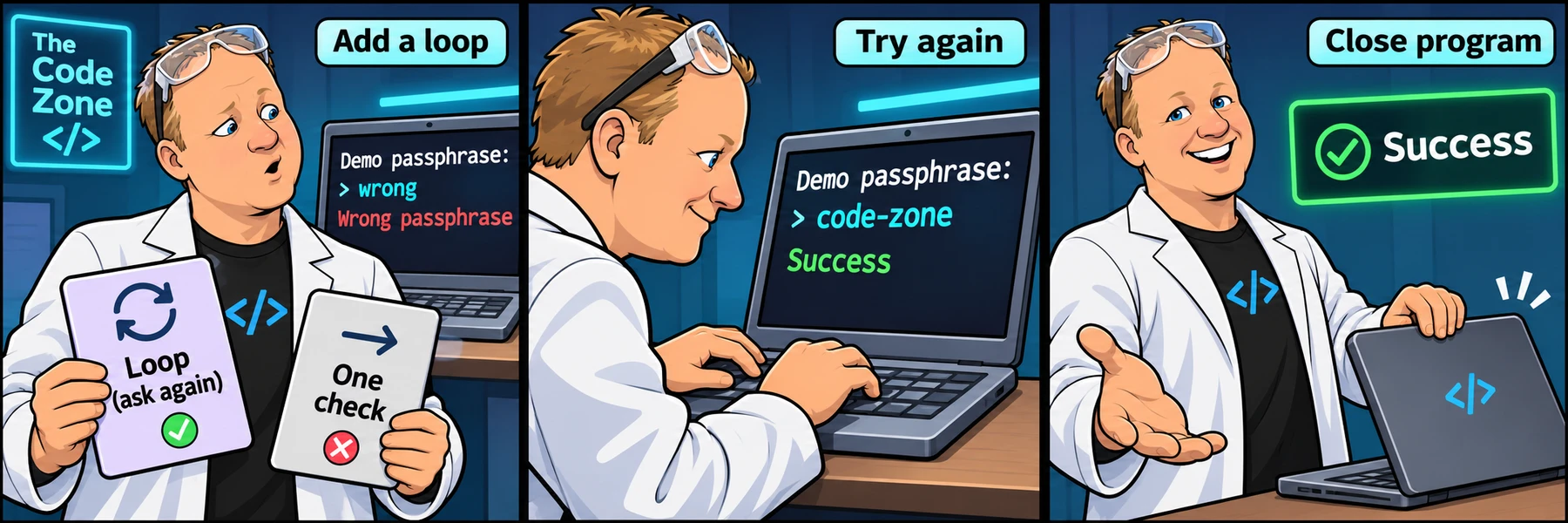
Your terminal task
Save the starter as passphrase.cjs. Run node passphrase.cjs. The program incorrectly prints Success even after a wrong first reply.
Replace the single check with a loop. After printing Wrong passphrase, ask Demo passphrase: again and store the reply in attempt. Print Success only after the reply equals code-zone.
const readline = require("node:readline/promises");
const rl = readline.createInterface({
  input: process.stdin,
  output: process.stdout
});

async function start() {
  try {
    const expected = "code-zone";
    let attempt = await rl.question("Demo passphrase: ");
    // Repeat this check and ask for a new attempt when it is wrong.
    if (attempt !== expected) {
      console.log("Wrong passphrase");
    }
    console.log("Success");
  } finally {
    rl.close();
  }
}

start().catch((error) => {
  console.error(error.message);
  process.exitCode = 1;
});
Test a conversation
Try code-zone first: expect Success with no failure message. Restart and enter wrong, then code-zone: expect one Wrong passphrase, another question, then Success.
Restart again and try a blank answer, then Code-zone, then code-zone: the first two replies should fail because the rule is an exact match. Each new answer must be read after its question appears. Use Control+C if you want to stop.
One possible terminal solution
Reveal the example and explanation
The loop checks attempt !== expected. The assignment inside the body replaces the wrong value with a fresh reply, so the next check can become false.
This local terminal task has no browser Check challenge button. Its companion comparison practice supports saved drafts, instructor submissions and community code sharing. You can copy this terminal code into a community question, but do not claim browser checks verified the Node.js conversation.
const readline = require("node:readline/promises");
const rl = readline.createInterface({
  input: process.stdin,
  output: process.stdout
});

async function start() {
  try {
    const expected = "code-zone";
    let attempt = await rl.question("Demo passphrase: ");
    while (attempt !== expected) {
      console.log("Wrong passphrase");
      attempt = await rl.question("Demo passphrase: ");
    }
    console.log("Success");
  } finally {
    rl.close();
  }
}

start().catch((error) => {
  console.error(error.message);
  process.exitCode = 1;
});
Compare a passphrase exactly
Work through 5 focused steps. Read the explanation, type each requested change and check it before moving on. Your own code carries forward.
The mini-lesson opens in a new tab. Your own code carries forward; each step has a focused check and an optional hint.
Start mini-lesson(opens in a new tab)5 steps · Saved work · Instant feedback
Ready to try it?
Practice in your browser and see your results.
Progress details
Have a question?
Ask the Code Zone community.
Ask a question in The Code Zone (opens in a new tab)Continue learning

7 days freeTry The Code Zone
THE CODE ZONE COMMUNITY
Your next step is easier together.
Try the community free for 7 days.
No charge during your trial. Choose your plan on Skool.
- Ask questions and get support in the community
- Watch every course video walkthrough
- Find a study buddy in the 24/7 study room
Make the most of your trial with Premium.
Choose Premium on Skool to try Thursday live help sessions. Bring your questions, work through code, and get unstuck together.
Scheduled Thursdays in Eastern Time. Check the Skool calendar for your local date and time.
Have a website account? Sign in