YOUR SAVED CODE-ALONG
Code along: Python Booleans
Keep the lesson open on your other screen. Your edits stay in this workspace, separate from the practice activity. Sign in to save and reload a private account draft across devices, or share a snapshot when you need help.
CODE-ALONG / THEATER MODE
Understand Boolean values
ORIGINAL WALKTHROUGH · 10:41
Watch with Rob.
Pause whenever you want to try a change. You can return to the lesson at any time.
You are signed in, but video access needs attention. Check your account access. Your saved work is kept.
Video walkthroughs are included with an active Code Zone membership. The written lesson and practice are free.
Video settings & progress
Your lesson progress
Empty: not started. Yellow: in progress. Green: complete. Marking the whole activity complete does not replace your test results. These circles save in this browser for this pilot.
Start the video to enable typing controls.
YOUR TURN
Code along: Python Booleans
Pause the video to type and run short Boolean examples. Compare equality and boundary operators on values below, at and above a target. Try and, or and not with actual Boolean values. Name the question each variable answers. These notes outline the topic, not a transcript; this open workspace does not grade a fixed answer.
Load an example, edit it and run it. Word wrap is enabled.
Your check results
Lesson reference
Examples load into this same code-along only after you confirm replacing your code.
True and False are values, not quoted words
A Boolean value is either True or False. Python capitalizes the first letter. The unquoted value False is different from the string "False". Quotes make text, even when that text looks like a Boolean word.
In the example, is_ready stores True and has_file stores False. A useful name tells the reader what that answer means. A prefix is a naming convention, not a special Python feature that forces a value to be Boolean.
is_ready = True
has_file = False

print(is_ready)  # True
print(has_file) # FalseComparisons produce Boolean answers
Use > for greater than, < for less than, >= for greater than or equal to, <= for less than or equal to, == for equal values and != for unequal values. Assignment uses one equals sign; an equality comparison uses two.
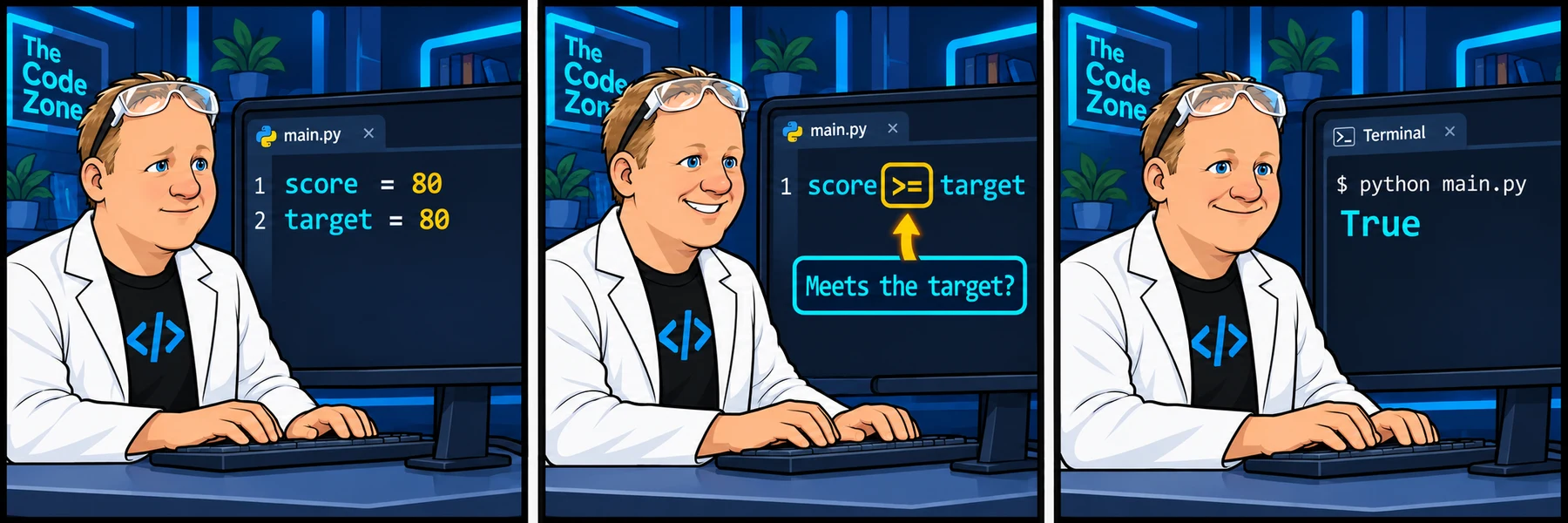
With score and target both 80, score > target is False while score >= target is True. If reaching the target is enough, equality must be included. Test a value below, at and above the boundary when you experiment.
score = 80
target = 80

print(score > target)  # False
print(score >= target)  # True
print(score == target)  # True
print(score != target) # FalseCombine Boolean answers with and, or and not
With Boolean operands, and is True only when both operands are True. or is True when at least one operand is True. not reverses the truth value. The example prints False, True and False.
Python and/or can return an operand rather than a Boolean when you give them other kinds of values. Keep the inputs in these beginner examples as actual Booleans; do not assume every and/or expression creates a bool.
is_ready = True
has_file = False

print(is_ready and has_file)  # False
print(is_ready or has_file)  # True
print(not is_ready) # FalseA stored answer reflects the time you calculated it
A comparison runs when Python evaluates that expression. If you later change an input, an existing Boolean variable does not automatically recalculate. Assign the comparison again when you need an updated answer.
Here has_passed stays False after score changes, until the comparison is assigned again. This is the same stored-value idea you saw with formatted strings.
score = 70
has_passed = score >= 80
score = 90

print(has_passed)  # False
has_passed = score >= 80
print(has_passed) # TruePreview: use the answer to choose whether code runs
An if statement can use a Boolean answer to decide whether to run an indented block. In this preview, has_passed is True, so the message appears. We will study control flow and indentation in their own section.
For the next practice, concentrate on the comparison itself. Keep the starting values, include equality in the passing rule and store the actual Boolean result rather than a quoted word.
- Python documentation: comparisons (opens in a new tab)
- Python documentation: Boolean operations (opens in a new tab)
score = 80
has_passed = score >= 80

if has_passed:
print("Target reached")Build it one step at a time
Prefer learning by typing? Work through short instructions, run the Python code and check each change before continuing. Your guided project saves separately from the challenge below.
The mini-lesson opens in a new tab. Your own code carries forward; each step has a focused check and an optional hint.
Start mini-lesson(opens in a new tab)4 steps · Saved work · Instant feedback
See the attached lesson’s comic