003 · Values and comparisons / Practice · 12 min
Compare a practice passcode
=== does not coerce the text "1234" into a number. This is why the string case should take the rejection branch.
Activity 3 of 5 in Values and comparisons
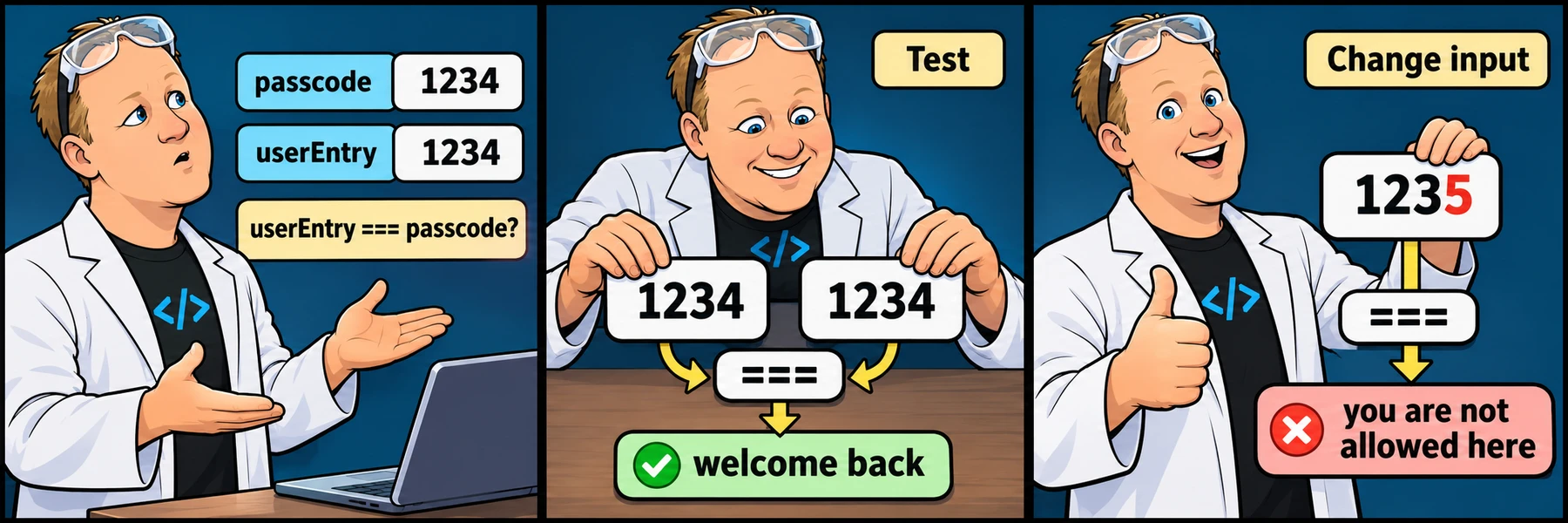
ORIGINAL WALKTHROUGH · 05:58
Watch with Rob.
Try the challenge first. When you need help, watch Rob work through it, pause to try a change, then check your own code below.
You are signed in, but video access needs attention. Check your account access. Your saved work is kept.
Video walkthroughs are included with an active Code Zone membership. The written lesson and practice are free.
Your challenge
Keep the dummy numeric passcode 1234 and compare it with userEntry using strict equality. Print welcome back for a matching number; otherwise print you are not allowed here. The text "1234" is not the number 1234 in this exercise.
Keep the supplied input variables at the top. The checks change only those initial values in a separate sandbox and compare the result. They also check the explicitly requested code structures. Your own editor and saved draft are not changed by the scenario checks.
Compare type as well as value
=== does not coerce the text "1234" into a number. This is why the string case should take the rejection branch.
Keep it a comparison exercise
Use dummy values only. This short program demonstrates branching; real sign-in and password verification belong on a server, not in a visible browser script.
Run, check and explain
Press Run code to see your current output. Choose Check challenge for named feedback on the starting case and variations. After three failed checks—or immediately after passing—you can reveal an explained example without replacing your code.
Signed-out work stays on this browser. Signed-in learners can save an account draft, submit for review and share a separate help snapshot. A passed browser check is practice feedback, not an instructor-certified grade.
YOUR TURN
Matching passcode
Keep the dummy numeric passcode 1234 and compare it with userEntry using strict equality. Print welcome back for a matching number; otherwise print you are not allowed here. The text "1234" is not the number 1234 in this exercise.
Checks run separate copies with supplied inputs; your editor stays unchanged.
- Use a conditional comparison
- Matching numbers are accepted
- Different numbers are rejected
- A string is not the same numeric value
- The comparison follows a changed practice passcode
Sample output for the starting inputs
welcome back
Random values are supplied during checks. Run code uses real randomness.
Run code displays your current output. Check challenge checks the named scenarios and requested structures in a separate sandbox. Save account draft keeps your code across devices when signed in. Word wrap is enabled.
Ready to checkRun the checks to see your results here.
Your check results
Need a nudge?
Use the two variables
Compare userEntry with passcode instead of writing 1234 into the condition again.
Keep the output exact
The required messages are lowercase, matching the original prompt.
One possible solution
Your code may look different and still be correct. Compare the approach with your own.
=== does not coerce the text "1234" into a number. This is why the string case should take the rejection branch. Use dummy values only. This short program demonstrates branching; real sign-in and password verification belong on a server, not in a visible browser script.
const passcode = 1234;
const userEntry = 1234;
if (userEntry === passcode) console.log("welcome back");
else console.log("you are not allowed here");