06.03 · Function challenges / Watch · 7 min
Trace the calculation back to the caller
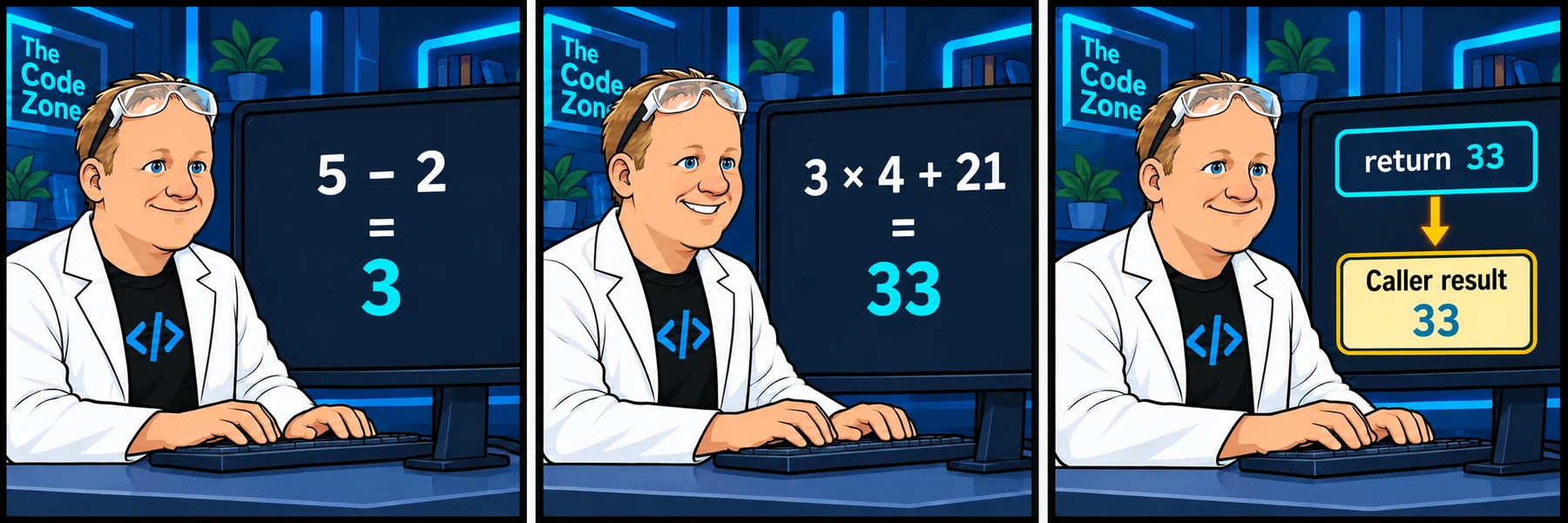
For dog age 5, the calculation moves through 3 to 33, then returns 33 to the caller.
Activity 3 of 4 in Function challenges
Python 2: Logic, Loops & Functions / 06.03
Review the dog-age solution
Not started
Review the original solution recording and explain each arithmetic step.
Your lesson progress
Empty: not started. Yellow: in progress. Green: complete. Marking the whole activity complete does not replace your test results. These circles save in this browser for this pilot.
ORIGINAL WALKTHROUGH · 2:21
Watch with Rob.
Pause whenever you want to try a change. You can return to the lesson at any time.
You are signed in, but video access needs attention. Check your account access. Your saved work is kept.
Video walkthroughs are included with an active Code Zone membership. The written lesson and practice are free.
Open video & code editor (opens in a new tab)Follow one call from start to finish
For calculate_human_age(5), dog_age is 5. The parentheses produce 3; multiplication produces 12; adding 21 produces 33. return human_age sends that number back to the call.
The same body uses 10 for the second call: 8 * 4 + 21 gives 53. A single formula handles both inputs.
def calculate_human_age(dog_age):
    human_age = (dog_age - 2) * 4 + 21
    return human_age

five_year_result = calculate_human_age(5)
ten_year_result = calculate_human_age(10)
print(five_year_result)
print(ten_year_result)Compare behavior, not identical spelling
A direct return of the expression is also valid. Your local variable name can differ as long as the requested function and caller names remain intact. Printing inside the function is different: the caller would receive None without a return.
The review workspace is separate from the scored practice. Use it to try new ages while leaving your submitted or saved challenge unchanged.
Build it one step at a time
Prefer learning by typing? Work through short instructions, run the Python code and check each change before continuing. Your guided project saves separately from the challenge below.
The mini-lesson opens in a new tab. Your own code carries forward; each step has a focused check and an optional hint.
Start mini-lesson(opens in a new tab)3 steps · Saved work · Instant feedback
Ready to try it?
Practice in your browser and see your results.
Progress details
Have a question?
Ask the Code Zone community.
Ask a question in The Code Zone (opens in a new tab)