YOUR SAVED CODE-ALONG
Code along: Python chained comparisons
Keep the lesson open on your other screen. Your edits stay in this workspace, separate from the practice activity. Sign in to save and reload a private account draft across devices, or share a snapshot when you need help.
CODE-ALONG / THEATER MODE
Understand chained comparisons
ORIGINAL WALKTHROUGH · 2:36
Watch with Rob.
Pause whenever you want to try a change. You can return to the lesson at any time.
You are signed in, but video access needs attention. Check your account access. Your saved work is kept.
Video walkthroughs are included with an active Code Zone membership. The written lesson and practice are free.
Video settings & progress
Your lesson progress
Empty: not started. Yellow: in progress. Green: complete. Marking the whole activity complete does not replace your test results. These circles save in this browser for this pilot.
Start the video to enable typing controls.
YOUR TURN
Code along: Python chained comparisons
Pause the recording to type a chained range comparison. Compare it with two comparisons joined by and. Try each endpoint, an inside value and values outside both ends. These notes outline the topic; this workspace has no fixed-answer checks.
Load an example, edit it and run it. Word wrap is enabled.
Your check results
Lesson reference
Examples load into this same code-along only after you confirm replacing your code.
The middle value belongs to both comparisons
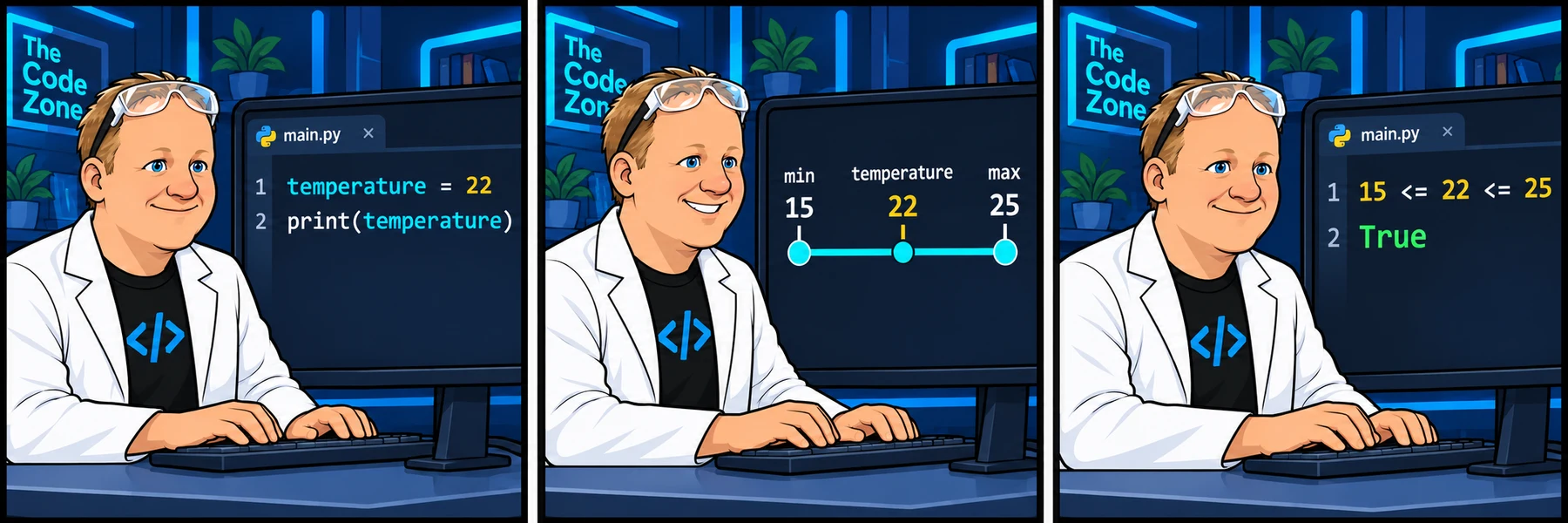
15 <= temperature <= 25 asks two questions: is 15 less than or equal to temperature, and is temperature less than or equal to 25? Both must hold for the chain to be True. Read it as a range, not as one comparison producing a value to compare again.
The two forms below agree for temperature 22. Python evaluates the middle expression only once in a chain, and skips later comparisons if an earlier one is false. With a plain variable, the expanded and form is an easy way to understand the rule.
temperature = 22

print(15 <= temperature <= 25)  # True
print(15 <= temperature and temperature <= 25) # TrueChoose each endpoint deliberately
<= includes equality. < excludes it. Our example comfortable range includes both 15 and 25; that is a lesson rule rather than weather advice. The first two lines below test the endpoints themselves.
Check an inside value and values just outside both ends. If you only try 22, both an inclusive and an exclusive version pass, so that single example cannot reveal an endpoint mistake.
print(15 <= 15 <= 25)  # True
print(15 <= 25 <= 25)  # True
print(15 <= 14 <= 25)  # False
print(15 <= 26 <= 25) # FalseMixed endpoints describe a different rule
Suppose a practice schedule is open from hour 8 up to, but not including, hour 17. The lower endpoint is inclusive and the upper endpoint is exclusive. Use 8 <= hour < 17 to express that exact rule.
At hour 17, the result is False. At hour 8, it is True. Do not automatically use the same operator at both ends; read what the rule says.
hour = 17
is_open = 8 <= hour < 17
print(is_open)  # False

hour = 8
is_open = 8 <= hour < 17
print(is_open) # TrueKeep the comparisons readable
Chaining works naturally for ordered bounds. For unrelated questions, use and with clear variable names instead of forcing everything into one chain. Do not assume that a chained comparison means all values are different or that it works like JavaScript.
In the next practice, fix the missing upper endpoint in the source temperature-range task. Predict the result for 14, 15, 22, 25 and 26 before you run it.
Build it one step at a time
Prefer learning by typing? Work through short instructions, run the Python code and check each change before continuing. Your guided project saves separately from the challenge below.
The mini-lesson opens in a new tab. Your own code carries forward; each step has a focused check and an optional hint.
Start mini-lesson(opens in a new tab)3 steps · Saved work · Instant feedback
See the attached lesson’s comic