YOUR SAVED CODE-ALONG
Choose an ordered or unordered list: code-along workspace
Keep the lesson open on your other screen. Your edits stay in this workspace, separate from the practice activity. Sign in to save and reload a private account draft across devices, or share a snapshot when you need help.
CODE-ALONG / THEATER MODE
HTML lists and numbering
ORIGINAL WALKTHROUGH · 11:27
Watch with Rob.
Pause whenever you want to try a change. You can return to the lesson at any time.
You are signed in, but video access needs attention. Check your account access. Your saved work is kept.
Video walkthroughs are included with an active Code Zone membership. The written lesson and practice are free.
Video settings & progress
Your lesson progress
Empty: not started. Yellow: in progress. Green: complete. Marking the whole activity complete does not replace your test results. These circles save in this browser for this pilot.
Start the video to enable typing controls.
YOUR TURN
Code along: HTML lists
Follow Rob’s Todo and vacation-destination walkthrough. Add the unordered and ordered lists in this website editor. Move Tokyo to the top when Rob demonstrates reordering.
Load an example, edit it and run it. Word wrap is enabled.
Your check results
Lesson reference
Examples load into this same code-along only after you confirm replacing your code.
Why give related items a list?
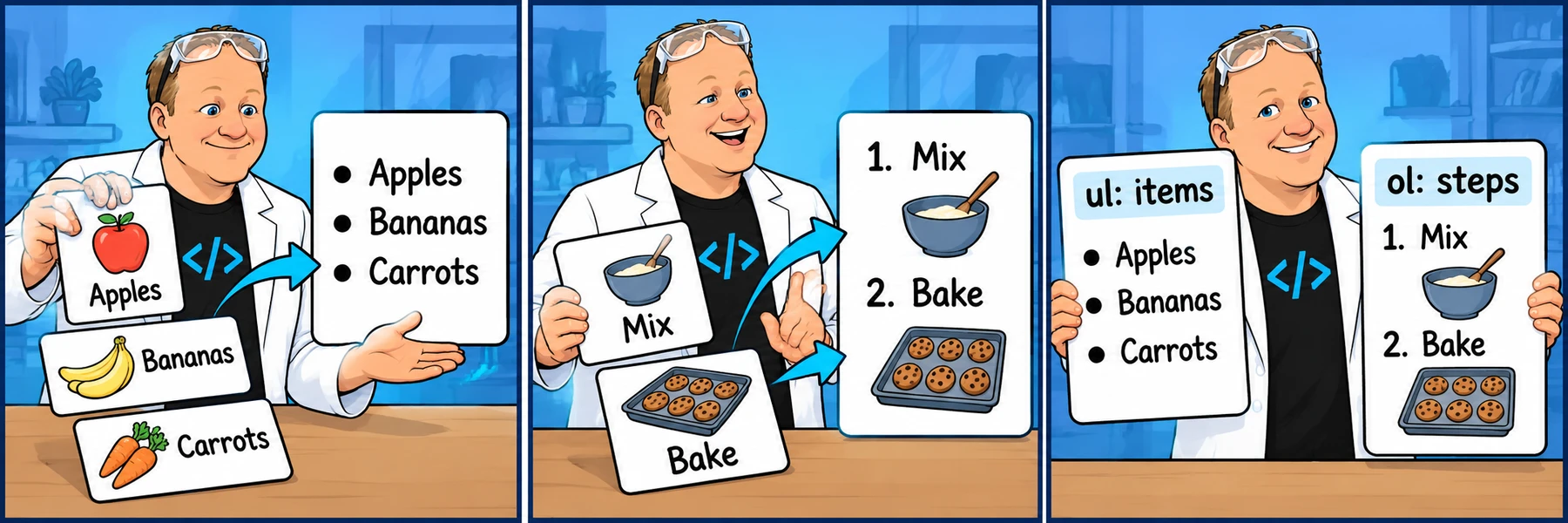
A shopping list and a set of directions both contain related items, but their order means different things. HTML gives you list elements to express that difference. A list also helps people and assistive software recognize the items as a group.
Use <ul> for an unordered collection, <ol> for an ordered sequence, and <li> for each list item. The browser normally adds bullets or numbers, indentation and some space around the list. You do not type the markers yourself.
An unordered list: the collection matters
These three things belong in a walking kit. Putting Map first would not change what you need to bring, so <ul> is a good choice. Keep each item inside its own <li> element.
Unordered does not mean random. The browser still displays the items in the order you write them.
Loading the editable HTML example…
Edit the HTML and watch the preview update. On a smaller screen, the preview appears below the code. These examples are for exploring; use the mini-lesson for saved, checked practice.
An ordered list: the sequence matters
Here, choose a book comes before reading it. Use <ol> when the sequence or ranking is part of the meaning. The same <li> element works inside either kind of list.
If you move a whole list item, the browser updates its number. Keep the words free of typed number prefixes so they do not become out of date.
Loading the editable HTML example…
Edit the HTML and watch the preview update. On a smaller screen, the preview appears below the code. These examples are for exploring; use the mini-lesson for saved, checked practice.
Choose numbers, letters or Roman numerals
An attribute is extra information written inside an opening tag. Here, type="I" on <ol> tells the browser which numbering format to use. Write the attribute on the list, not separately on each item.
A plain <ol> uses numbers by default. The five examples below show the available formats. Capitalization matters: uppercase I produces I, II, III, while lowercase i produces i, ii, iii.
Choose an HTML tab below to compare the five formats. Each tab has the same three items; only the list’s opening tag changes. These formats apply to ordered lists, not to the bullets of a ul.
- W3Schools: ordered lists and the type attribute (opens in a new tab)
- MDN: ordered-list numbering types (opens in a new tab)
Loading the editable HTML example…
Choose a tab to compare examples. Edits stay in their tab while this page is open. Edit the HTML and watch the preview update. On a smaller screen, the preview appears below the code. These examples are for exploring; use the mini-lesson for saved, checked practice.
Try uppercase Roman numerals
Choose the HTML · I, II, III tab above. Its type="I" attribute makes the browser add uppercase Roman numerals in front of the unchanged item text. Switch to HTML · i, ii, iii to compare lowercase markers.
A numbered label can be part of a document’s meaning: a handout might refer to item II. That is the situation in your developer ticket below. Later, CSS will let you control marker appearance when it is only a visual preference.
Try the two-step study-session mini-lesson
No headphones needed. Turn three supplies into a bulleted collection, then move one action into the correct position in a numbered sequence. Each step has exact tasks, a hint and checks.
The mini-lesson opens in a new tab. Your own code carries forward; each step has a focused check and an optional hint.
Start mini-lesson(opens in a new tab)2 steps · Saved work · Instant feedback
Keyboard skill: move a whole list item
Keep one complete <li>...</li> on each line. Put the cursor on the item you want to move, then press Option (Alt) + Up Arrow on Mac, or Alt + Up Arrow on Windows/Linux. The whole line moves above the one before it. Selecting the line first also works.
Use this in Step 2 to move Read the task above Write code. The checks judge the resulting order, so moving the item manually is fine.
Optional: a list inside a list item
A sublist belongs inside the parent <li>, before that item’s closing tag. This is different from placing one list directly inside another list without a list item around it. Rob mentions nested lists as extra reading; they are not required for this mini-lesson or ticket.
Loading the editable HTML example…
Edit the HTML and watch the preview update. On a smaller screen, the preview appears below the code. These examples are for exploring; use the mini-lesson for saved, checked practice.
Code along with Rob, then take the ticket
The original video builds a Todo collection and ranked vacation destinations. Its code-along opens in the website editor, in theater mode or a pop-out, with a document skeleton ready for you to type.
The developer ticket at the bottom adds a small new skill from this written lesson: change the agenda markers to uppercase Roman numerals. You can return to the examples above while you work.
See the attached lesson’s comic