01.02 · Introduction to HTML / Learn · At your pace
A short history of HTML
Before polished websites and apps, the Web connected plain documents. Those early ideas still shape every HTML page you write.
Activity 2 of 4 in Introduction to HTML

1989: A way to connect information
At CERN, scientists needed to share documents across different computers and research teams. In 1989, Tim Berners-Lee proposed the World Wide Web to help connect that information. Instead of collecting every document in one place, a reader could follow a link to another document.
The Internet and the Web are not the same thing. The Internet provides the network; the Web is one way to use it. HTML describes a document, a URL identifies a resource, and HTTP lets a browser request it.
1990–1991: The first website
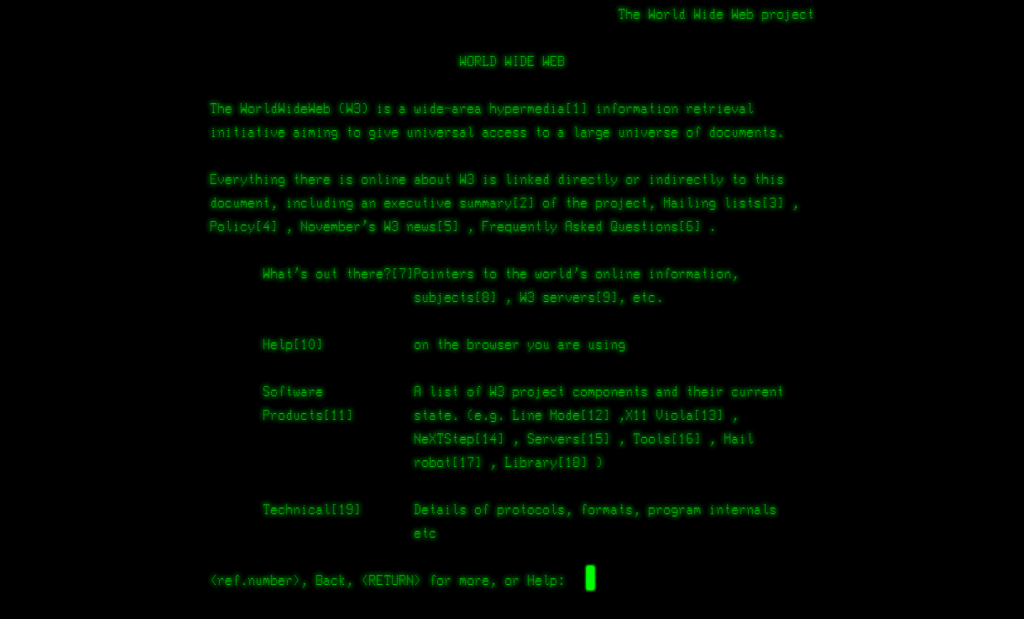
By the end of 1990, the first web server and browser were operating at CERN. In 1991, the project became available beyond CERN. The first website explained the Web project itself and linked to more information.
Early pages were built around readable text, headings, lists and hyperlinks. There were no author-written CSS stylesheets. Browsers supplied their own default appearance, such as large headings and underlined links. Different browsers could display the same document differently.
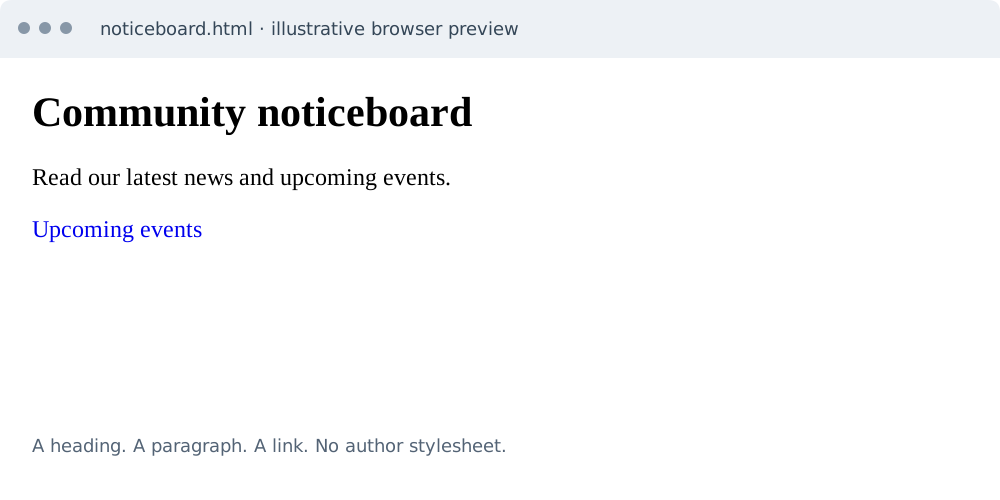
Read a page with no author CSS
Imagine an early community noticeboard. Even without styling, the heading tells you the topic, the paragraph explains it, and the link takes you to another document. HTML is already useful before we choose colors, fonts or a layout.
In this example, h1, p and a describe the content. A browser gives them a default appearance. Unstyled does not mean the page has no visual rules; it means the author has not supplied a stylesheet.
<!DOCTYPE html>
<html lang="en">
<head>
  <meta charset="UTF-8">
  <title>Community noticeboard</title>
</head>
<body>
  <h1>Community noticeboard</h1>
  <p>Read our latest news and upcoming events.</p>
  <a href="events.html">Upcoming events</a>
</body>
</html>
1993: Opening the Web to everyone
On 30 April 1993, CERN made the Web software available in the public domain. This helped others build servers, browsers and websites without having to buy permission to use that software.
The key idea was an open system of linked information. A link could lead to a document run by somebody else, rather than staying inside one application.
1994–1996: CSS gets its own job
As the Web grew, authors wanted more control over presentation. Håkon Wium Lie proposed CSS in 1994 and collaborated with Bert Bos on its development. CSS level 1 became a W3C Recommendation in December 1996.
The separation is useful today: HTML describes meaning and structure, while CSS controls presentation. We can keep the same heading and paragraph and change their appearance for a phone, a large display or a printed page.
From HTML versions to a Living Standard
HTML went through several published versions. HTML 3.2 and HTML 4 were completed in 1997, and XHTML 1.0 followed in 2000. The later HTML5 work expanded the language for modern sites, including meaningful page sections and built-in audio and video.
Today, WHATWG maintains HTML as a Living Standard rather than waiting for one large, numbered release. You may still hear the name HTML5. For this course, use modern elements for their meaning and learn CSS separately for appearance.
You do not need to memorize this timeline. Remember the lasting pattern: describe content clearly, connect it with useful links, and let presentation be a separate concern.

7 days freeTry The Code Zone
THE CODE ZONE COMMUNITY
Your next step is easier together.
Try the community free for 7 days.
No charge during your trial. Choose your plan on Skool.
- Ask questions and get support in the community
- Watch every course video walkthrough
- Find a study buddy in the 24/7 study room
Make the most of your trial with Premium.
Choose Premium on Skool to try Thursday live help sessions. Bring your questions, work through code, and get unstuck together.
Scheduled Thursdays in Eastern Time. Check the Skool calendar for your local date and time.
Have a website account? Sign in