FREE PROJECT WORKSHOP / INTRO TO CODE
Your first project.
One step at a time.
Build a Pokémon Search Card
Turn a simple page into a working search card using HTML and CSS. Write a little code, see what changes, and get instant feedback before moving on.
24 focused steps · About 60–90 minutes · No installation needed
24 steps · Saved work · Instant feedback
This entire workshop is free. No membership or sign-in is required. Signed out, your code and completed steps stay in this browser. Sign in with an existing website account to save them to your profile and let your assigned learning team review your work.
WHAT YOU WILL BUILD
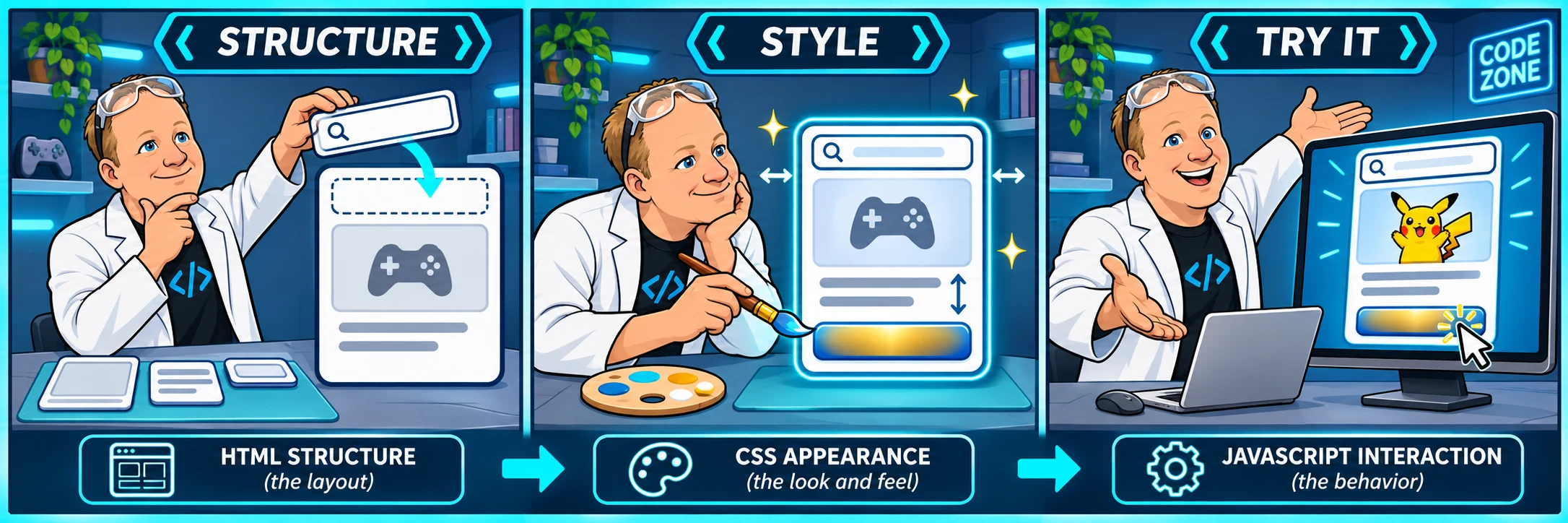
Structure it. Style it. Try it.
HTML creates the search form, image and card details. CSS adds colors, spacing and a layout that fits a phone. The search JavaScript is already supplied and is not editable in this workshop.
You will start with an HTML shell and a CSS comment. Each step explains one small change, gives you a hint if you need it, and checks the work you wrote.
Try the finished example
Search for pikachu, squirtle, charizard or vulpix. Those four are included, even if the external service is unavailable. Other names use PokéAPI. Use Enter or the Catch! button.
The example is separate from your own saved project.
YOUR PATH THROUGH THE PROJECT
From an empty page to something you can use.
- 01Give your project a home
- 02Create the search form
- 03Name the input
- 04Add the name field
- 05Give the form a submit button
- 06Leave room for helpful messages
- 07Build the card and its heading
- 08Make an image area
- 09Add ability and weight details
- 10Finish the HTML card
- 11Make sizing predictable
- 12Set the page colors
- 13Center the project
- 14Give the card a flexible width
- 15Paint the card
- 16Arrange the search controls
- 17Make the field comfortable to use
- 18Make Catch stand out
- 19Keep feedback readable
- 20Separate name and hit points
- 21Frame the creature
- 22Style the card details
- 23Place the finishing stars
- 24Make it usable, then try it
OPTIONAL FINISHING CHALLENGE
Make the card your own.
After earning the final step, experiment in your existing workshop editor. This is an open-ended design challenge, separate from the guided checkpoints.
- Change the card gradient to two colors you choose.
- Give the Catch! button a coordinating color with readable text.
- Use the preview width control to check your design at 320px and 768px. Keep the input, button, card and image inside the page.
- Keep the form labels, visible keyboard focus, status messages and every class used by the supplied helper.
- Try a valid name, an unknown name and an empty search. Explain how your design helps someone recover from a mistake.
These design choices do not have an automatic grade. Your saved checkpoints stay earned while you experiment. Want a second pair of eyes? Bring your project and a specific question to the community.
An independent educational project. Pokémon is a trademark of its respective owners. Pokémon data is provided by PokéAPI (opens in a new tab). Included sprites come from the PokéAPI sprite collection.