Code Zone Bug Lab / Episode 14
The Leaderboard That Sorts Wrong
The leaderboard puts 100 before 2. It has a different idea of “smallest first.”
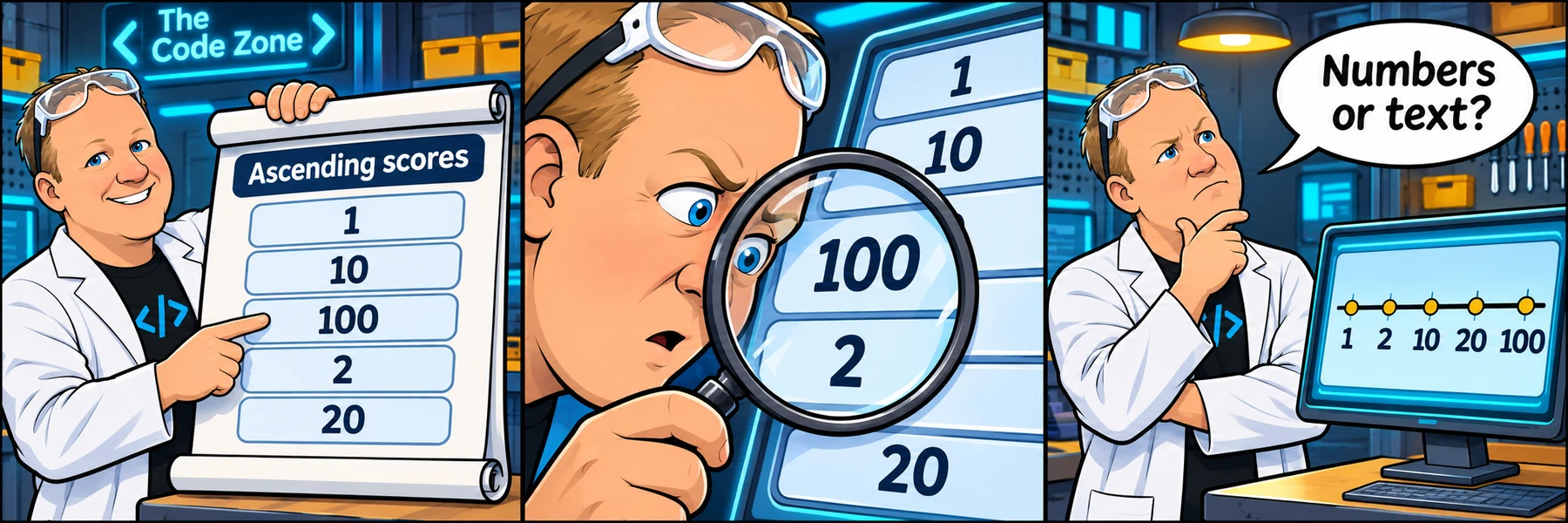
Your sprint ticket · In progress · DEV-157
The Leaderboard That Sorts Wrong.
Customer report: Scores should be ascending numbers, but the order is 1, 10, 100, 2, 20.
Steps to reproduce
- Click Sort starter scores.
- Compare the displayed order with numeric ascending order.
- Try negative scores and repeated scores.
Make a focused behavior fix. Styling and adding unrelated features belong to another ticket.
Acceptance criteria
- Starter scores sort as 1, 2, 10, 20, 100.
- Negative scores sort numerically.
- Duplicate values are preserved.
- An empty array produces an empty list.
Learning demo only. No real accounts, purchases, authentication, or external requests.
Reproduce → inspect → hypothesize → verify
Take the ticket.
Reproduce the bug before editing. Inspect the Console and the JS tab. Explain one hypothesis, change the relevant code, then use Check challenge below the editor. Test the full ticket, not only the starter example. Reveal hints one at a time if needed.
Checking account and saved lab work…
Sign in to sync across devicesChoose the copy to continue with. Keeping the device copy replaces the account copy only after a revision check.
Loading the JavaScript and HTML editor…
Pass the checks or make three attempts to unlock an explained example.
Ready to test? Choose “Check challenge” after investigating.
Code and prediction notes recover in this browser and sync when signed in. Instructor examples stay separate. Reset replaces code, not prediction notes.
Replace your edits with the original broken example?
Try first. Reveal one clue at a time.
Need a lead?
1. Read the default sort behavior.
Without a comparator, sort compares string representations. Compare the first characters of 100 and 2.
2. Provide a numeric comparison.
A comparator returns a negative, zero, or positive number to determine order.
3. Subtract for ascending order.
Use sort((a, b) => a - b). Keep duplicates and test negative values.
Your lab report
Show your reasoning.
“I expected… I observed… The console showed… My hypothesis was… I changed… I verified…”
Use Check challenge for automated behavior checks. Passing checks are useful evidence, not a complete code review.
Give others room to investigate: label solutions as spoilers.
Share your lab report on SKOOL (new tab) ↗