Code Zone Bug Lab / Episode 21
Help Codi: The Project Cards Stuck Together
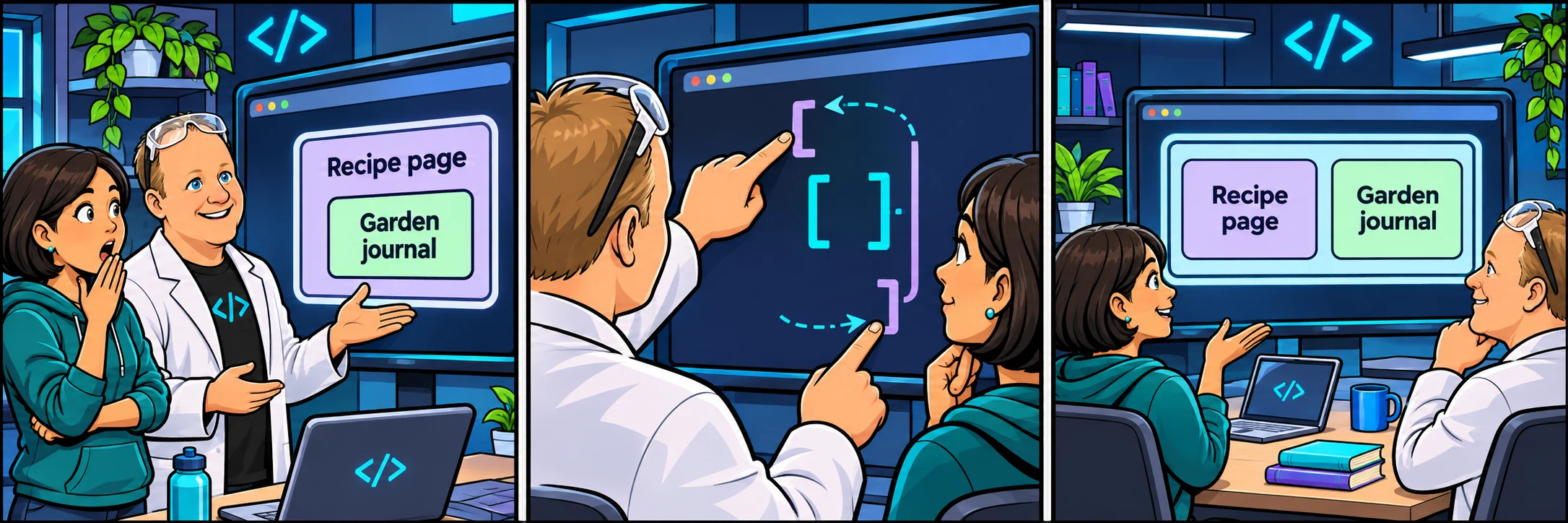
Codi’s Garden journal is trapped inside her Recipe page card. Trace the HTML boundaries and give each project its own space.
Your sprint ticket · In progress · CODI-002
Two projects share one card boundary.
Customer report: Codi: “Garden journal should be its own card. Why is it sitting inside Recipe page?”
Steps to reproduce
- Look at the Recipe page and Garden journal projects in the preview.
- Select index.html and find the PROJECT 1 and PROJECT 2 comments.
- Follow where each article starts and ends.
Repair the article boundaries in index.html. Keep both projects, their ids, headings, paragraphs, and the supplied CSS.
Acceptance criteria
- Exactly two article elements keep the class project-card.
- Both project articles are direct children of the project-gallery div.
- Each project keeps its own heading and description.
- Cards sit beside one another on wide screens and stack on phones.
You are the reviewer. Make one focused repair, then explain to Codi what caused the problem. No JavaScript is required.
Reproduce → inspect → hypothesize → verify
Take the ticket.
In index.html, compare the article boundaries around PROJECT 1 and PROJECT 2. Repair the nesting so both project articles sit directly inside the div with class project-gallery. Keep each project’s heading and paragraph inside its own article, then use Check challenge.
Checking account and saved lab work…
Sign in to sync across devicesChoose the copy to continue with. Keeping the device copy replaces the account copy only after a revision check.
Loading the HTML and CSS editor…
Pass the checks or make three attempts to unlock an explained example.
Ready to test? Choose “Check challenge” after investigating.
Code and prediction notes recover in this browser and sync when signed in. Instructor examples stay separate. Reset replaces code, not prediction notes.
Replace your edits with the original broken example?
Try first. Reveal one clue at a time.
Need a lead?
1. Find the first boundary.
An article starts with an opening tag and ends at its matching closing tag. Indentation helps you read this, but it does not change nesting.
2. Follow the second card.
PROJECT 2 starts before Recipe page’s article has ended. The browser therefore puts Garden journal inside Recipe page.
3. Move, do not duplicate.
Move the final closing article tag to directly after the soup paragraph and before the PROJECT 2 comment. Keep the other closing article tag after the plant-notes paragraph.
Your lab report
Show your reasoning.
“I expected… I observed… The console showed… My hypothesis was… I changed… I verified…”
Use Check challenge for automated behavior checks. Passing checks are useful evidence, not a complete code review.
Give others room to investigate: label solutions as spoilers.
Share your lab report on SKOOL (new tab) ↗